
How do I register for a Swisscom identity?
Content
MOXIS offers not only the option of obtaining certificates via A-Trust and D-Trust, but also of obtaining a digital identity via Swisscom. This article explains how to register for Swisscom's Signing Service.
1. Registering for the Signing Service via Swisscom
There are several ways to register and obtain a digital identity via Swisscom:
online using the Videoident process
in person at a Swisscom shop (only possible in Switzerland)
Once issued, the Swisscom Signing Service authorises you to use advanced and qualified electronic signatures.
1.1 Step-by-step instructions for registration using the video identification procedure
Step 1: Please open the link to the video identification procedure and follow the instructions.
Step 2: Please select a signature quality and the valid legal area for the signature as follows (see figure 1).
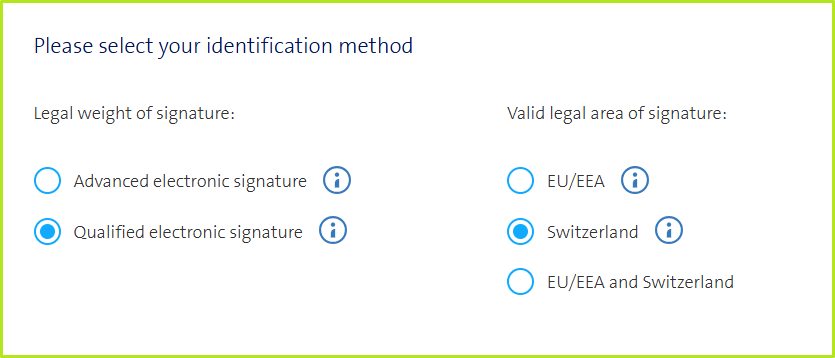
Figure 1: Selecting the identification method and jurisdiction
Step 3: Swisscom offers various online identification and registration methods that are valid under EU and Swiss law. Please select one of them:
SRS Auto Ident Switzerland
online Monday to Saturday 07:00 to 22:00 possible
German, French, Italian or English
valid for two years
subject to a fee
Requirements for registration:
Valid passport or ID from the EU/EEA or Switzerland
Smartphone
Video Ident Switzerland and EU
online Monday to Saturday 07:00 to 22:00 possible
German, French, Italian or English
Valid for five years
Fee required
Requirements for registration:
Valid passport or ID from the EU
Smartphone

XiTip
Please download the Mobile ID app before registering.
Make sure you have a stable internet connection.
Have your valid identification documents (see requirements) ready.
Make sure that your smartphone and computer have sufficient battery life.
Step 4: Please now go through the entire identification process and follow the steps that are given to you. If you pay by credit card, you will receive a payment receipt by email after the identification process.
XiTip
Please do not close the browser window during the identification process!!!
2. Registration verification and successful identification
Trust is good, control is better. In line with this motto, Swisscom offers you the opportunity to check whether you have been correctly registered and can sign electronically accordingly after identification.
To do this, please open this link and follow the instructions. Figure 2 shows an example of a successful registration.
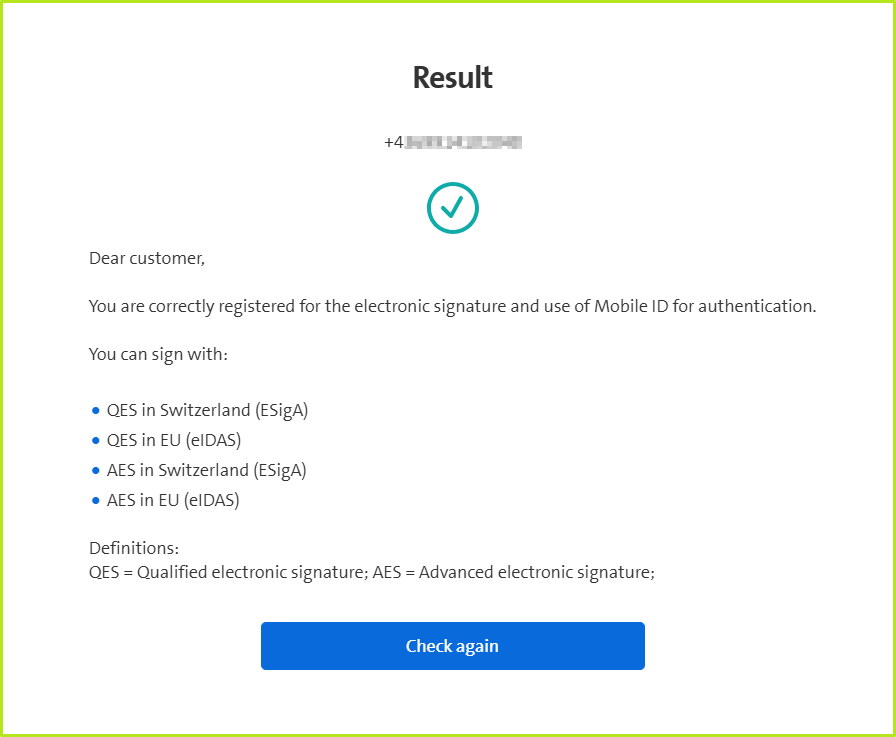
Figure 2: Example of a successful Swisscom registration
3. Set up Swisscom signature type in MOXIS
If the registration check is successful, you can sign in MOXIS. To facilitate internal processes, you can set up the Swisscom signature type in MOXIS. To do this, follow these instructions. This has the advantage that you do not have to enter your signature data each time you sign
Please note: If the Swisscom signature type has not yet been set up, you will be asked to enter the corresponding phone number the first time you sign a document in accordance with the Certification Services Act. If signing with a specific phone number does not work, a warning message will appear during setup (see figure 3). In this case, please contact our support team at servicedesk@xitrust.com
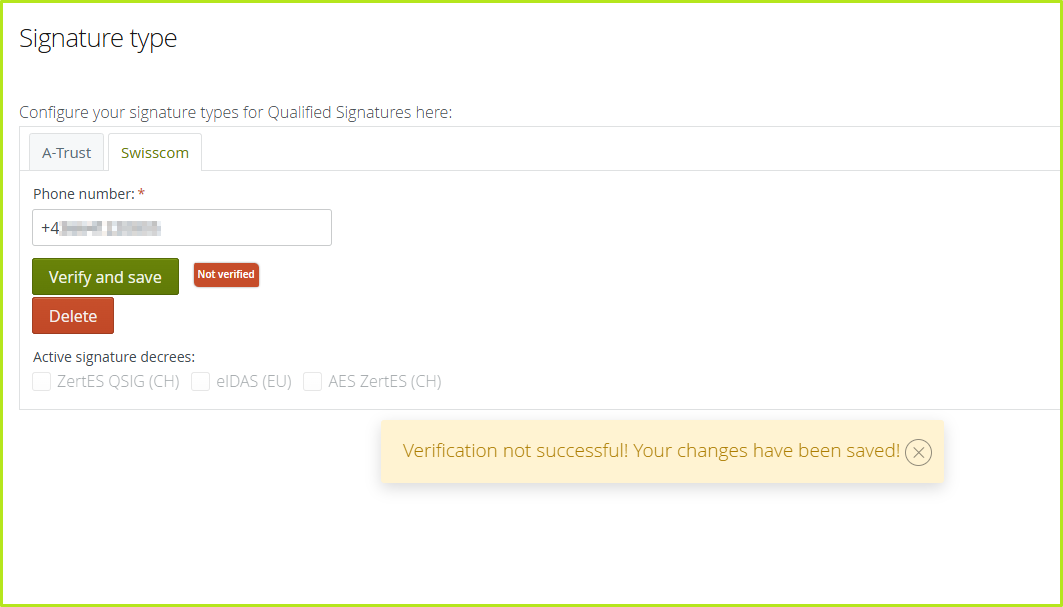
Figure 3: Error message in MOXIS during the Swisscom configuration
XiTip
A phone number is only ever assigned to one user. If the same number is stored for several users in MOXIS, you will receive an error message when configuring in MOXIS. In this case, please make sure that only one user exists with this particular phone number.
4. Support and further information
Swisscom provides additional support and information for the self-service identification process in the browser based on Swisscom Trust Services. This is aimed both at end users who carry out the identification process and at administrators who support users.
4.1. This is where you receive support
If identification cannot be completed successfully or if technical problems arise, you can contact the XiTrust Support Team via E-Mail to servicedesk@xitrust.com.
XiTip for administrators
When submitting support requests, please provide the reference IDs (if available) or further details about the identification process to enable faster processing.