
PDF/A conversion: new in MOXIS 4.54
Content
Starting with MOXIS 4.54, it is possible to convert .pdf, .doc, and .docX formats into PDF/A documents. Although the feature is integrated in every Enterprise version, it must be activated. To ensure this, please contact your XiTrust representative. This article provides general information about PDF/A-converted documents.
1. What is the difference between a PDF and a PDF/A file?
PDF/A is a variant of the standard PDF. Since it was developed for the long-term archiving of documents, the format has certain characteristics. For example, the PDF/A format does not support the embedding of audio and video files, as special software would be required to archive or play the files. Graphics and fonts must also be embedded directly in the document.

XiTip
Please note that PDF/A-compliant files cannot be encrypted.
2. What types of PDF/A files are there?
There are four variants of the PDF/A standard series:
PDF/A-1 The original version of the converted PDF/A file contains fonts, illustrations, images, graphics, hyperlinks, etc. PDF/A-1 is available in two levels of conformity (PDF/A-1a and PDF/A-1b).
PDF/A-2 This newer version allows the compression of graphics, PDF layers, and the use of transparent elements. PDF/A-2 is available in three levels of conformity (PDF/A-2a, PDF/A-2b, and PDF/A-2u).
PDF/A-3: Starting with the version released in 2012, any file types and raw data can be added to a PDF/A document. PDF/A-3 is also available in three levels of conformity (PDF/A-3a, PDF/A-3b, and PDF/A-3u).
PDF/A-4 The latest development in PDF/A documents is available in two levels of conformity (PDF/A-4e, PDF/A-4f).
3. PDF/A conversion in MOXIS
The job creation of a job that is to be converted to PDF/A format is carried out in the same way as any standard job creation. However, there are some differences.
3.1. Differences in order creation for job with PDF/A conversion
3.1.1. Note on PDF/A conversion function
Processes with the PDF/A conversion function activated are marked with a corresponding note on the job creation page (see figure 1 [1]).
3.1.2. “Signature sheet” option not selectable for signature visualizations
If the PDF/A function in MOXIS is fully configured and activated for a process, it is no longer possible to select the “Signature sheet” option when creating a new job within that process.
The option is grayed out (see figure 1 [2]).

Figure 1: Job creation page in MOXIS in process with PDF/A conversion enabled
If you still upload a PDF with a signature sheet, you will receive an error message (see figure 2 [1]).
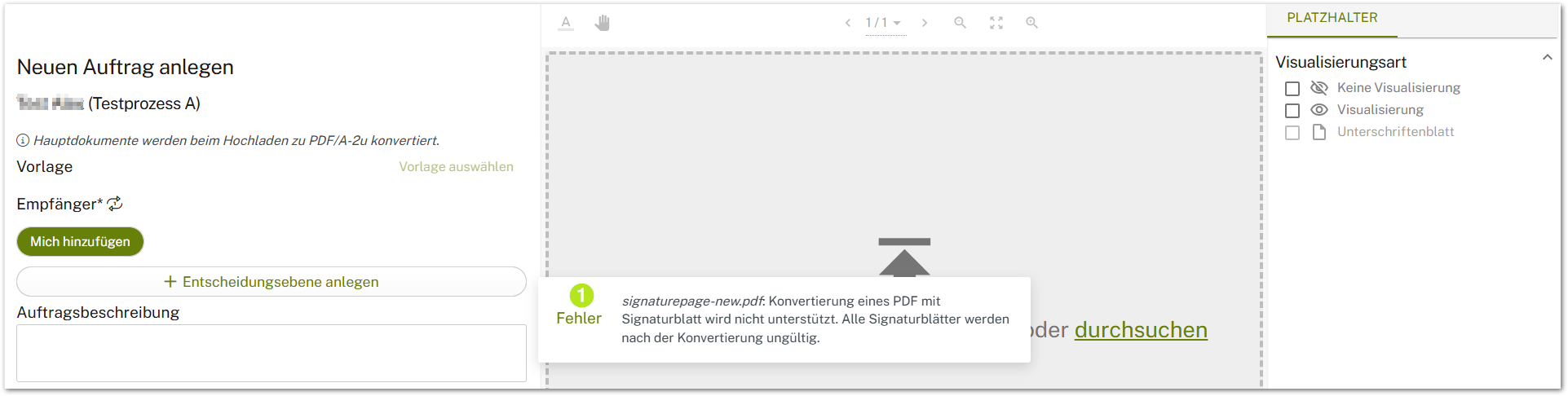
Figure 2: Error message when uploading a document with a signature sheet in MOXIS during a process involving PDF/A conversion
3.1.3 Converting pre-signed documents is not supported
Since the pre-signature is removed during the conversion process for documents that have already been signed, converting pre-signed documents is not supported. An error message will appear if you attempt to process such a job. (see figure 3 [1]).
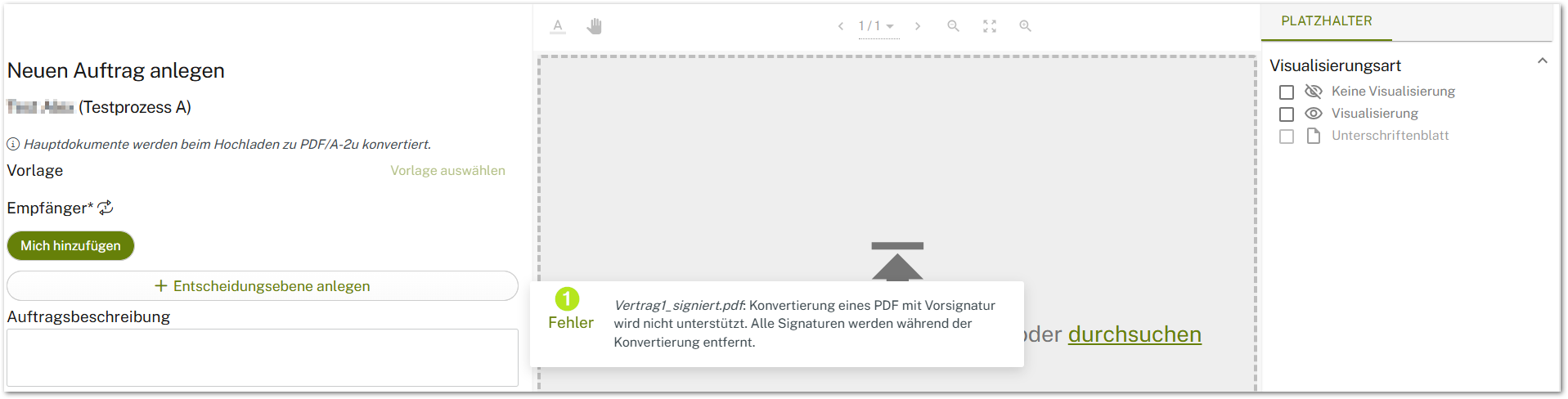
Figure 3: Error message when uploading a document with a preliminary signature in MOXIS during a process involving PDF/A conversion
3.1.4 Converting PDF containers is not supported
In processes that involve creating container PDFs, PDFs cannot be converted to PDF/A format. You would receive a corresponding error message (see figure 4 [1]).
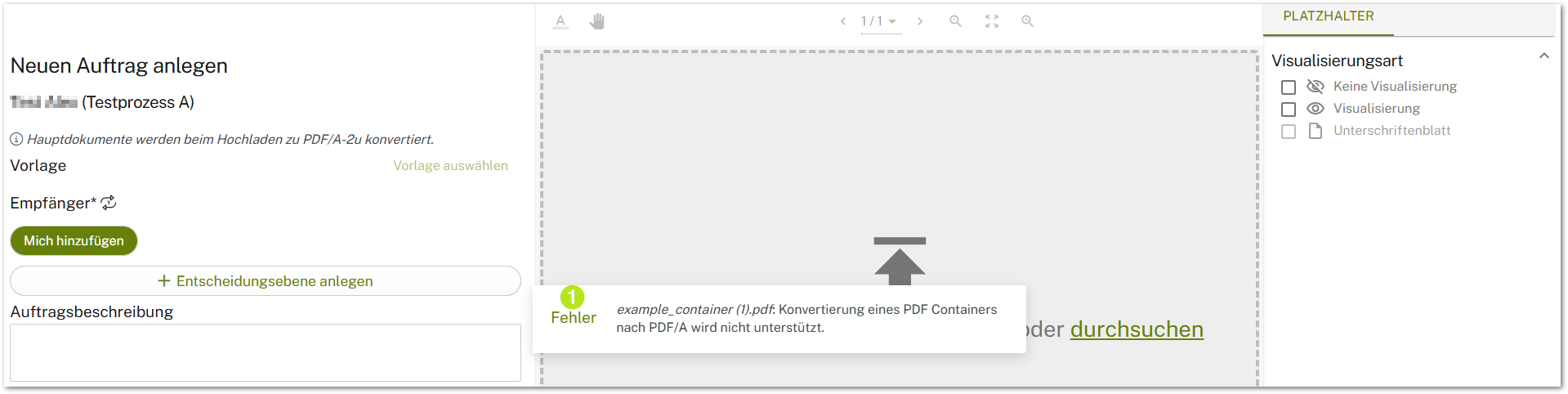
Figure 4: Error message when uploading a document (PDF container) to MOXIS during a process involving PDF/A conversion
3.1.5 Converting already converted documents is only supported to a limited extent
Documents that have already been converted to PDF/A format can only be used if the document to be signed has the same standard as the PDF/A target format.
In other words, a PDF/A-2u format can only be “converted” to a PDF/A-2u format. If a PDF/A format other than the target format is used, you will receive an error message (see figure 5 [1]).
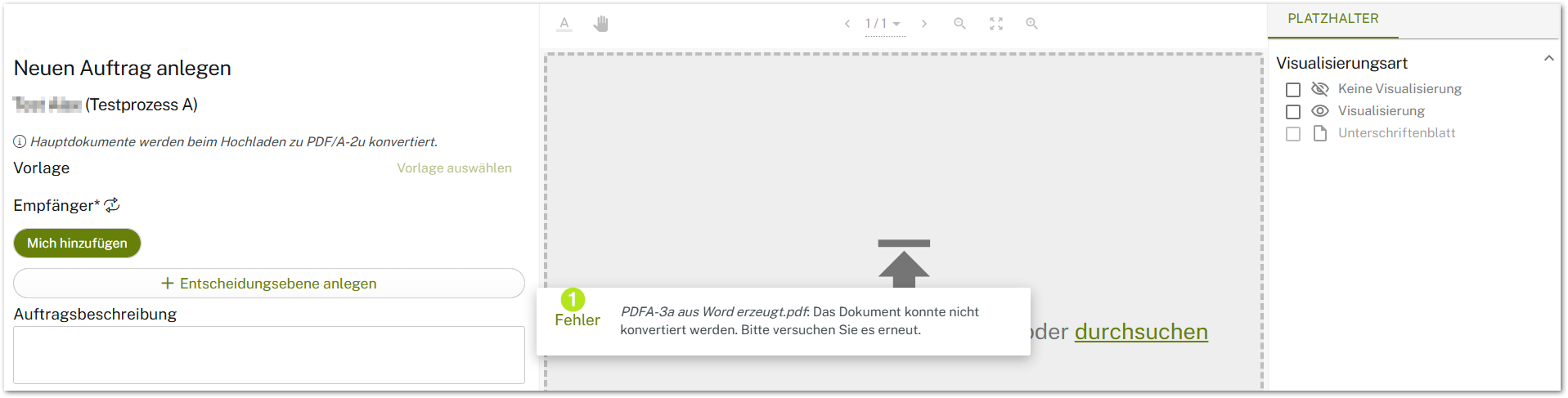
Figure 5: Error message when uploading a document that has already been converted in MOXIS during a process with PDF/A conversion
3.1.6 Behavior with PDFs containing form fields
PDFs containing form fields can only be processed to a limited extent. The corresponding form fields can only be uploaded and converted, but not modified.
3.1.7 Behavior with PDFs containing signature fields
Please note that PDF signature fields are removed during PDF/A conversion. However, placeholders can be added again after the conversion process is complete.
5. Effects on the log and detailed view
If PDF/A conversion is enabled, this affects the log and detailed view.
In the detailed view, a note about PDF/A conversion appears next to the job name. The log also notes the standard to which the document was converted.