
Doc/DocX Conversion: new from MOXIS Version 4.54
Starting with MOXIS version 4.54, MOXIS offers the option to convert documents from .doc or .docX format to PDF or PDF/A format. In this article, you will learn what you as a user need to keep in mind.
1. The conversion process
In order to upload a Word document to MOXIS, your administrator must enable the corresponding options. You can see that the feature is activated when the corresponding file format is enabled on the job creation page (see figure 1 [1]).
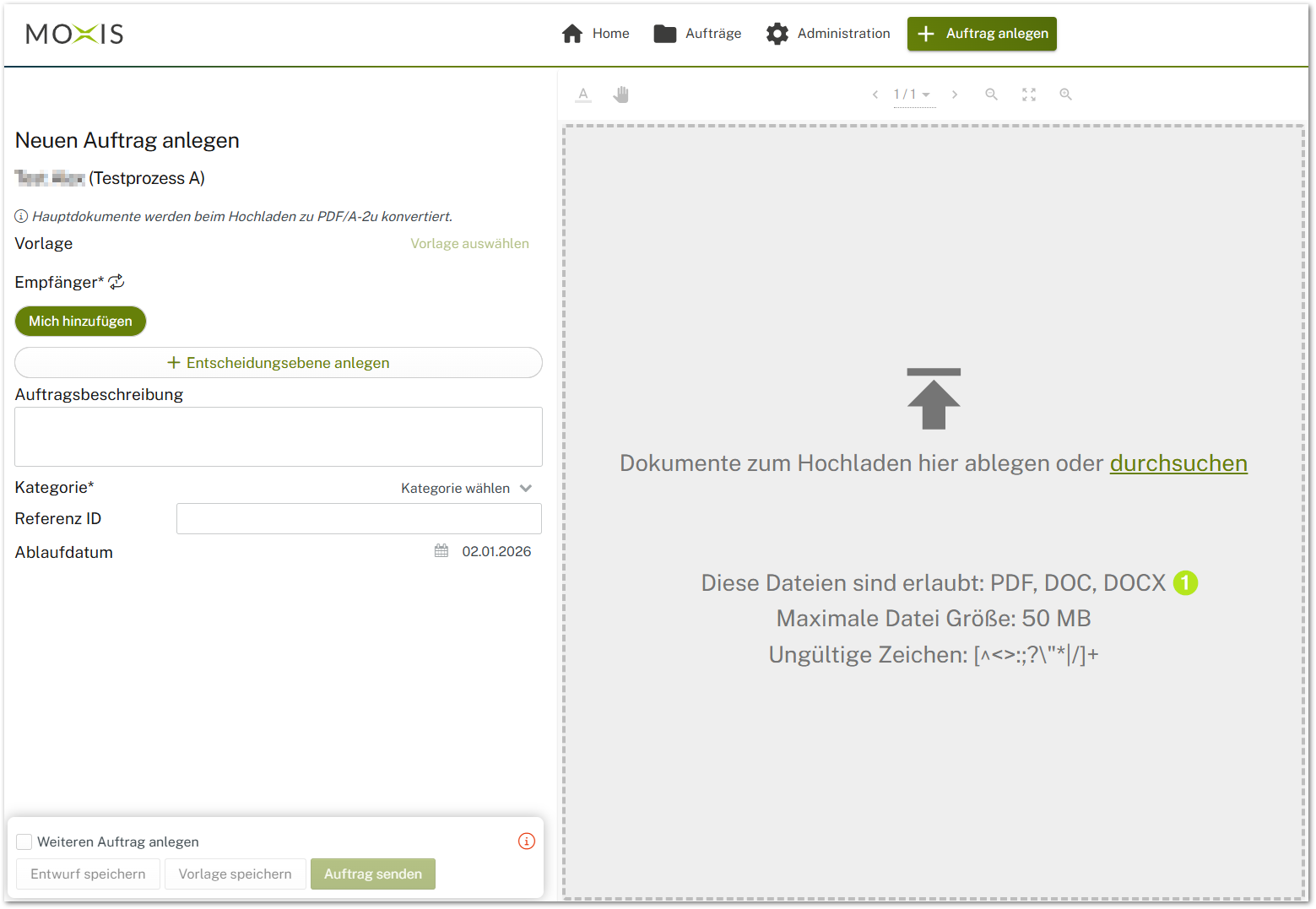
Figure 1: Doc or DocX approved as formats for uploading to MOXIS.

XiTip
Please note: Carefully check Word documents that are converted to PDF or PDF/A format, as there may be some quality limitations.
For example, embedded Excel tables may appear pixelated. One solution is to avoid using embedded objects and instead use tables directly in the source document.
2. Effects on the log
The log notes that a .doc or .docX format has been converted to a PDF or PDF/A format (plus information about its standard).