
Setting up a signature type
Content
If you have created a digital identity via A-Trust, D-Trust or Swisscom, you must enter your login details every time you execute a signature. To reduce this effort, MOXIS offers you the option of defining a signature type in advance. This series of articles will introduce you to the topic.
In the Signature type menu, you can select your preferred trust centre (signature provider) (see Figure 1). If several signature types are active, you can specify which provider should be used by default for signatures. There is a separate tab for each provider. Currently (as of 12/2024), the following providers can be registered:
Swisscom offered.
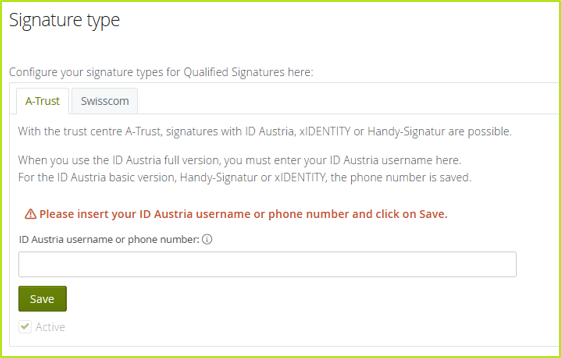
Figure 1: Set up signature type in MOXIS
Please note: The preferred Trust Centre is only used if the process configuration of the order supports the respective signature type.