
Process management: Iterations-Tab
Content
In the Iterations-tab, you can configure settings for iteration levels.
1. Definitions
Iteration: An iteration is an iteration level created during a signature request to add external or internal signatories.
1.1. The Iterations-Tab in process management
To open the Iterations-Tab in process management, go to the administration area and open process management. Then click on the base process you want to edit or create a new one. You can configure the iteration level under the Iterations-Tab (see figure 1 [1]).

XiTip
Please note: The options shown in this tab depend on the basic configuration of MOXIS, which was created in collaboration with XiTrust. Therefore, you may see fewer options in your overview. If one of the options would be a useful addition to your current MOXIS instance, please contact your XiTrust contact person.
You have the following options for configuring the decision levels of the process:
Allow/deny private iteration (see figure 1 [2])
Allow/deny remarks on iterations (see figure 1 [2])
Allow/deny signers to invite additional signers (see figure 1 [2])
Allow/reject serial function (siehe figure 1 [2])
Use the [Save]-, [Reject]-, or [Delete]-buttons to save, discard, or delete your changes (see figure 1 [3]).
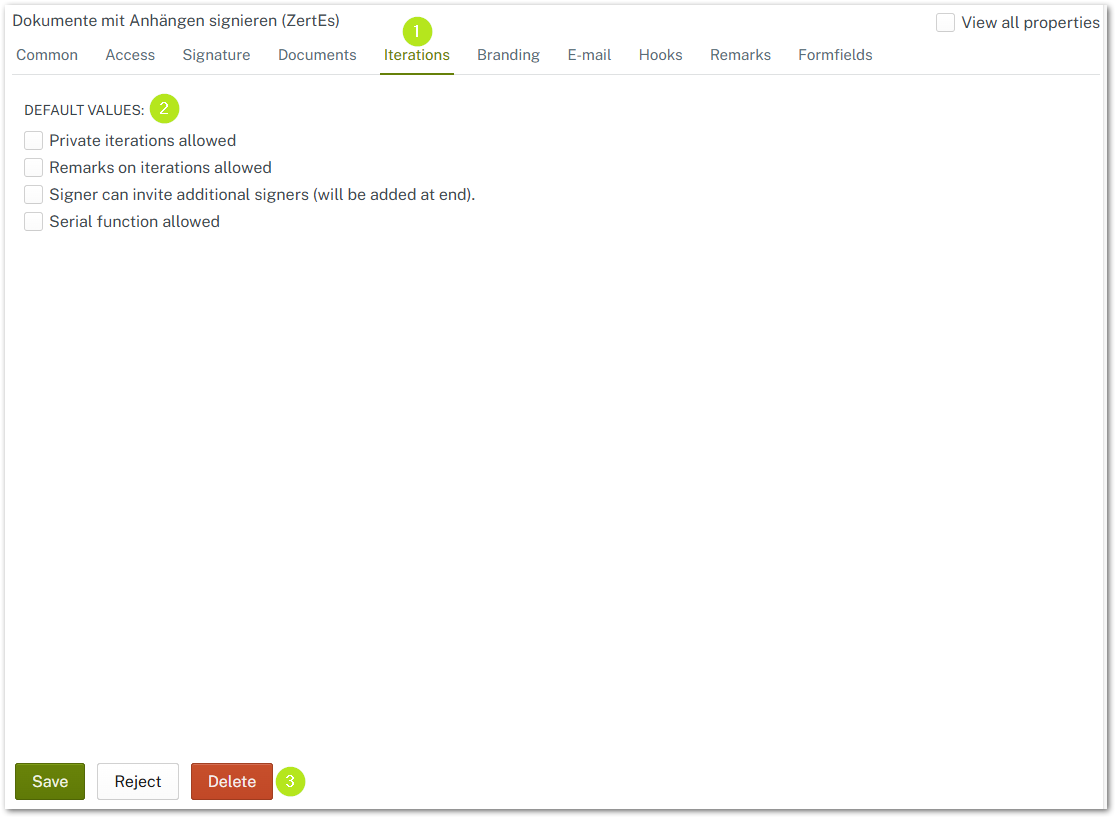
Figure 1: Iterations-Tab in the MOXIS process management
1.2. Private iteration allowed
Enable this option to allow signers to set an iteration level to private (see figure 2 [1]). As long as the option is enabled in process management and the check mark is set to Private in MOXIS, even users with the role of an observer cannot view the specific task. In addition, signers cannot be represented at this iteration level. Please note: This only applies to iteration levels where the check mark is set.
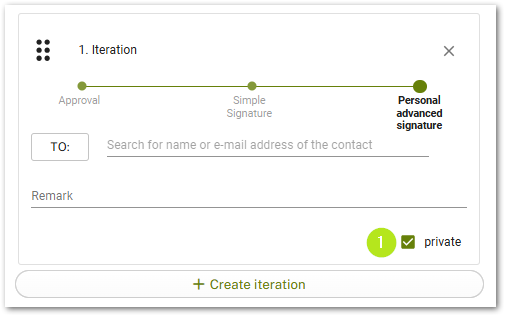
Figure 2: Private iterations allowed
1.3. Remarks on iterations allowed
Enable this option to allow signers to leave comments in iteration levels (see figure 3).
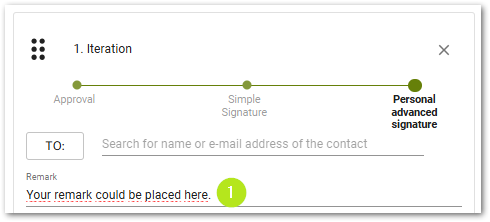
Figure 3: Enable remarks/comments in iterations
1.4. Signer may invite additional signers
This option allows signers to invite additional signers to the job before signing (see figure 4). Once you have checked this option, please open a job that you have received but not yet signed. In the detail view of the job, please navigate to the remarks and open the optional attributes (see figure 4 [1]). Here you can now add additional recipients (see figure 4 [2]).
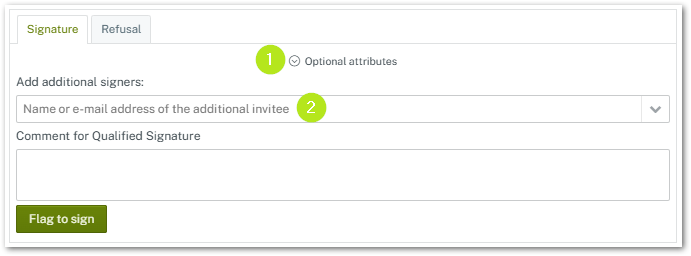
Figure 4: Invite additional signers
1.5. OPTIONAL: Enable the serial function
This option allows you to send a job to a group of recipients. However, this requires some preliminary settings, which we describe in the following instructions.
XiTip
Please note, that the serial function has to be activated in the initial configuration. Otherwise, it is not visible in the iterations-tab (see figure 1).
1.5.1. Step-by-step instructions: Activating the serial function in process management
Step 1: To activate the serial function in process management, first select the option in the iteration tab in your desired process (see figure 5).
XiTip
Please note: If you want to activate the serial function and have also activated multiple invitations in the Access-tab, you will receive a warning in the form of an exclamation mark (see figure 5).
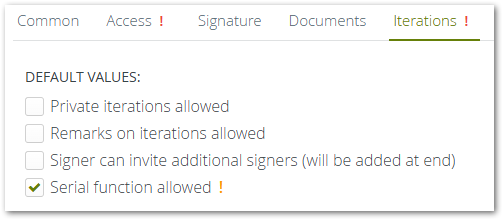
Figure 5: Enable the serial function
Step 2: If the Multiple Invitations option is enabled in the Access tab (see figure 6 [1]), please disable this option by removing the check mark (see figure 7 [1]).
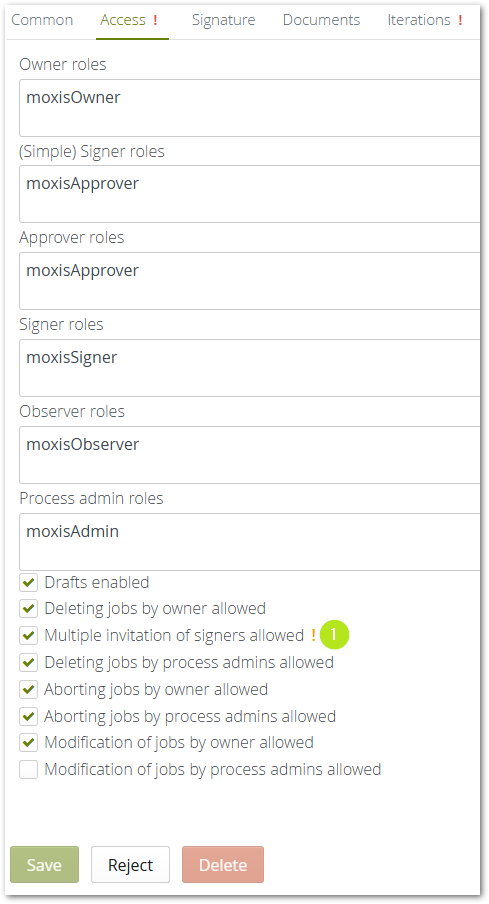
Figure 6: Multiple invitation of signers allowed
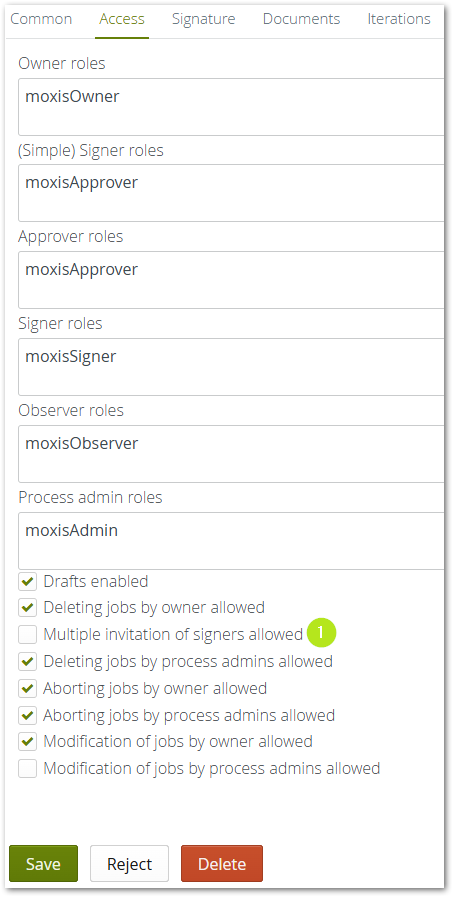
Figure 7: Disable Multiple invitation of signers allowed - function
Step 3: Now you can save the settings in the Iteration tab.
XiTip
Please note: When creating a job in MOXIS, it is important to check the box for serial function (see figure 8 [1]) so that the feature is activated at the selected iteration level.
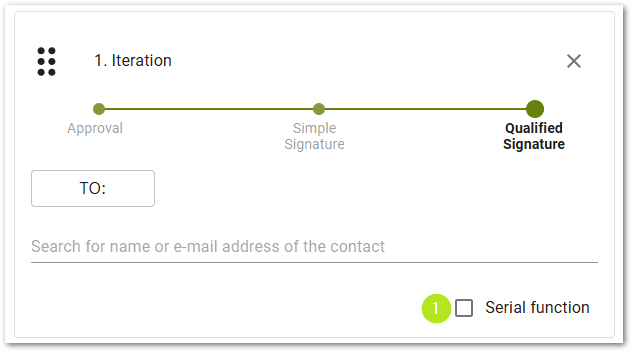
Figure 8: Enable the serial function in MOXIS by checking the box for serial function in the desired iteration level