
Process management: Branding-Tab
Content
In the Branding-Tab, you can assign your corporate design to processes in MOXIS. For more information on branding, please refer to the MOXIS 4.52 User Manual.
1. The Branding-Tab in Process Management
To open the Branding-Tab in Process Management, go to the Administration area and open Process Management. Click on the base process you want to edit or create a new one. Under the Branding tab, you can assign your previously configured branding to one or more processes of your choice in MOXIS.
You have the following options:
Email: You can choose between the default template for your instance, your client's default, or a specific email tenant.
MOXIS Guest: Here you can choose between the default template for your instance, your client's default, or a specific tenant.
Signature sheet: You can choose between the default template for your instance, your client's default, or a specific email tenant.
Signature profile: Here you can choose between the signer's system profile, your client's default, or a specific tenant.
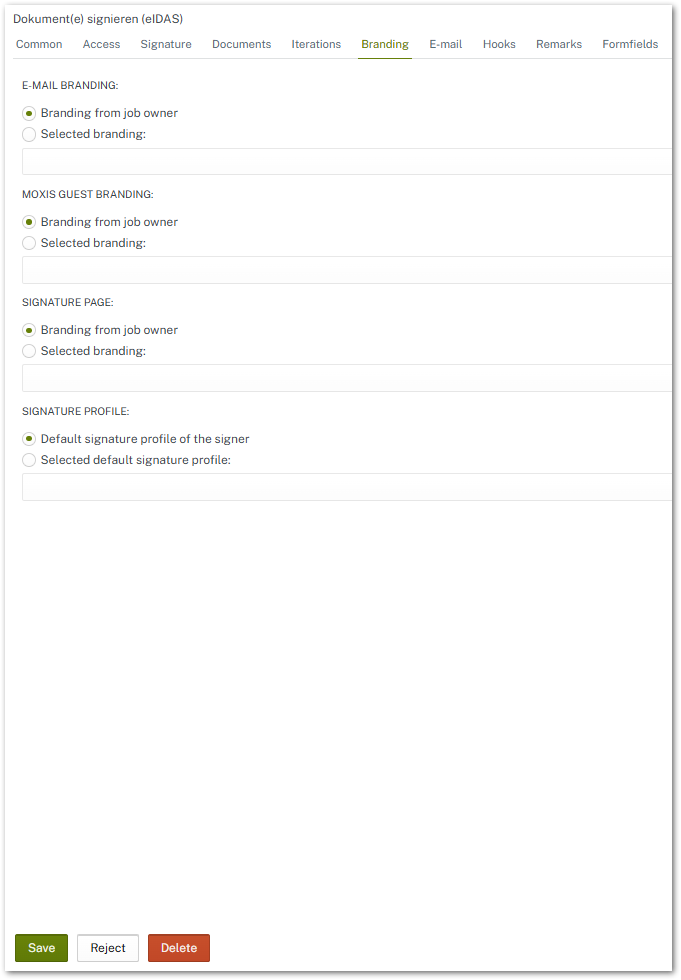
Figure 1: Branding-Tab in the MOXIS Porcess Management